
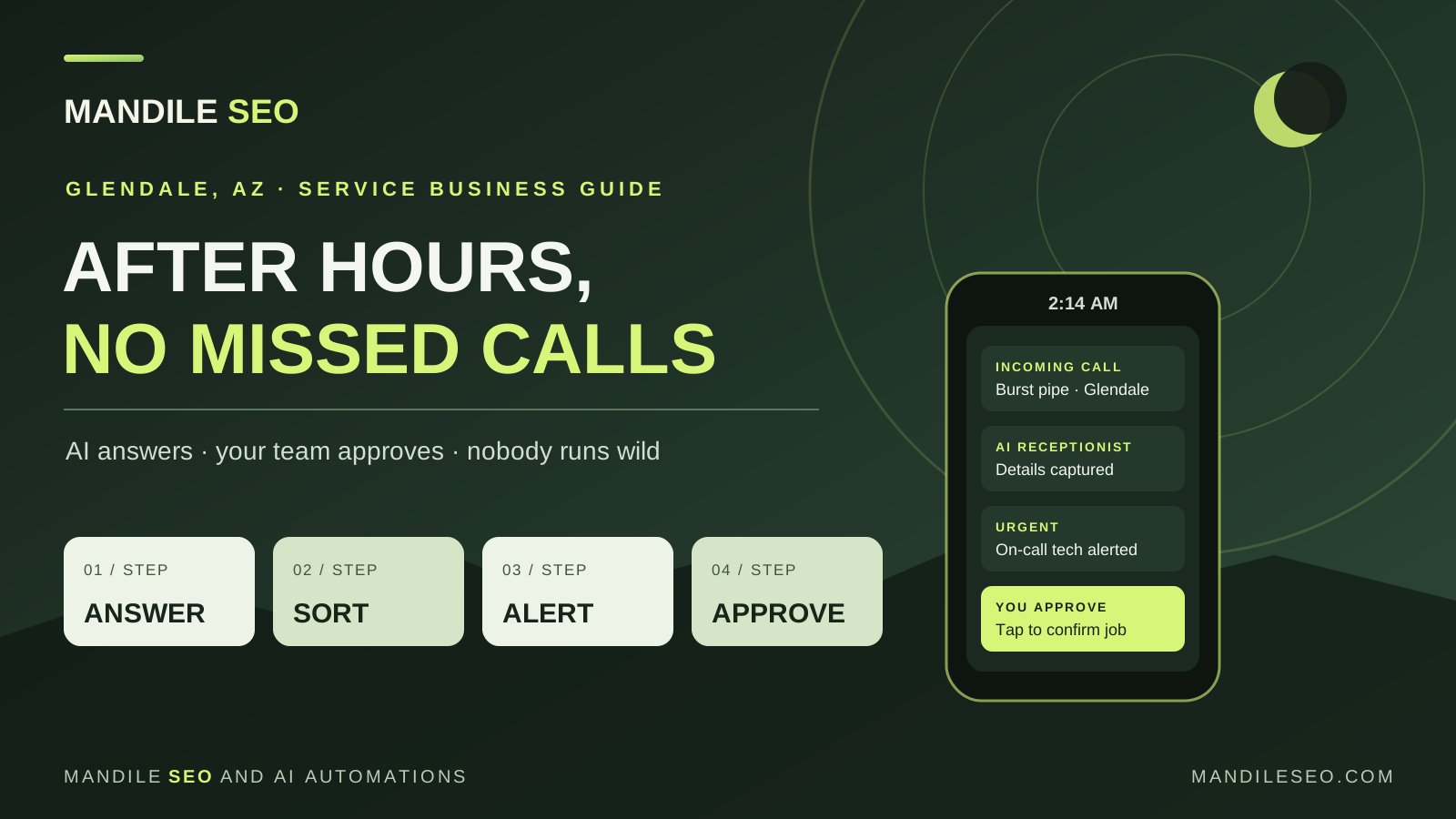
What’s the alternative to an after-hours answering service?
An AI receptionist built around your own rules. It answers the calls you can’t, collects the caller’s name, number, address and problem, separates real emergencies from routine questions, and texts your on-call person. A human still decides whether to take the job and what to charge. You get faster answers than voicemail, more context than a message service, and nothing happens without your approval.
Why the late-night call matters so much in the West Valley
If you run a towing company, a 24/7 plumbing outfit, an HVAC shop or a locksmith business in Glendale, Peoria, Surprise or Phoenix, your most expensive problem may not be your trucks or your ads. It’s the call nobody answered.
Arizona makes it worse. A broken AC in July isn’t a convenience problem; it can be a health problem, and the homeowner wants someone on the phone now. Monsoon storms bring roof leaks, flooded yards and stranded drivers on the Loop 101 and I-17. These calls come at night and on weekends, exactly when your office is closed.
Every one of those callers is searching on their phone. If they hit voicemail, the next listing on Google Maps is one tap away.
Your three options for after-hours calls
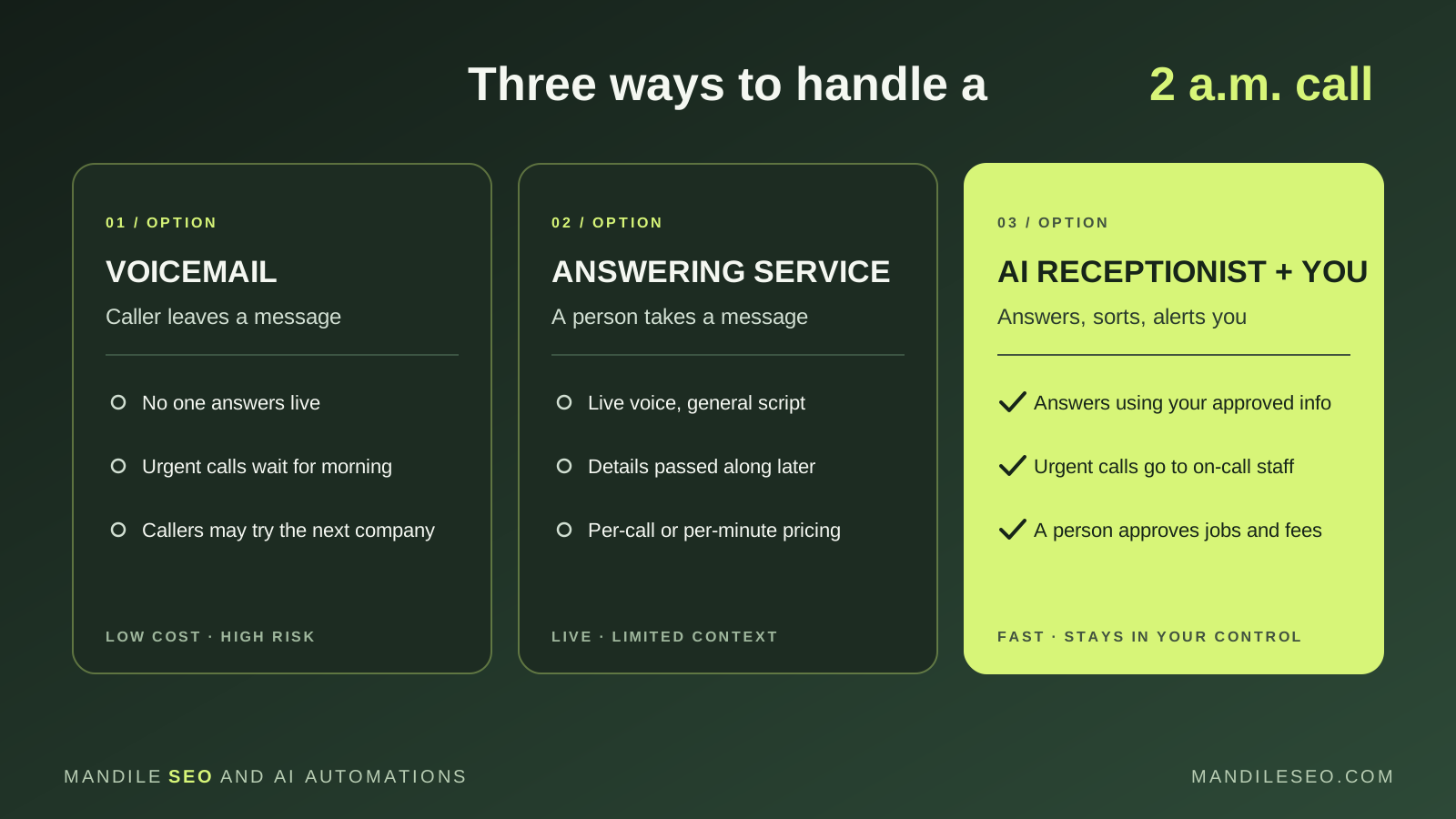
| Voicemail | Live answering service | AI receptionist + your team | |
|---|---|---|---|
| Who answers | No one | An operator reading a general script | An AI using information you approved |
| Urgent calls | Wait until someone checks messages | Passed along, sometimes with missing details | Flagged and texted to your on-call person |
| Routine calls | Same pile as emergencies | Same message format as emergencies | Logged for the morning, so nobody gets woken up |
| Who decides | You, the next day | You, once the message reaches you | Your on-call person, with organized notes in hand |
| Cost | Lowest | Usually per call or per minute | Setup fee, then an optional monthly plan |
Traditional answering services work for some businesses. The common complaints are that operators can’t answer specific questions, technical details get lost between the call and your technician, and the bill climbs during busy months.
The problem with “autonomous” AI employees
You’ll see AI products that promise to run your phones on autopilot: quoting prices, booking jobs, even taking payments with no one involved. For an established local business, that’s a real risk.
If an AI quotes the wrong price, sends a truck outside your service area or tells a customer a technician is on the way when your crew is maxed out, it’s your name on the review. So the setup we recommend never gives the AI the final say. It works like a well-trained front desk: it handles the greeting, sorts the calls and hands your team clean notes.
How a 2 a.m. call is handled, step by step
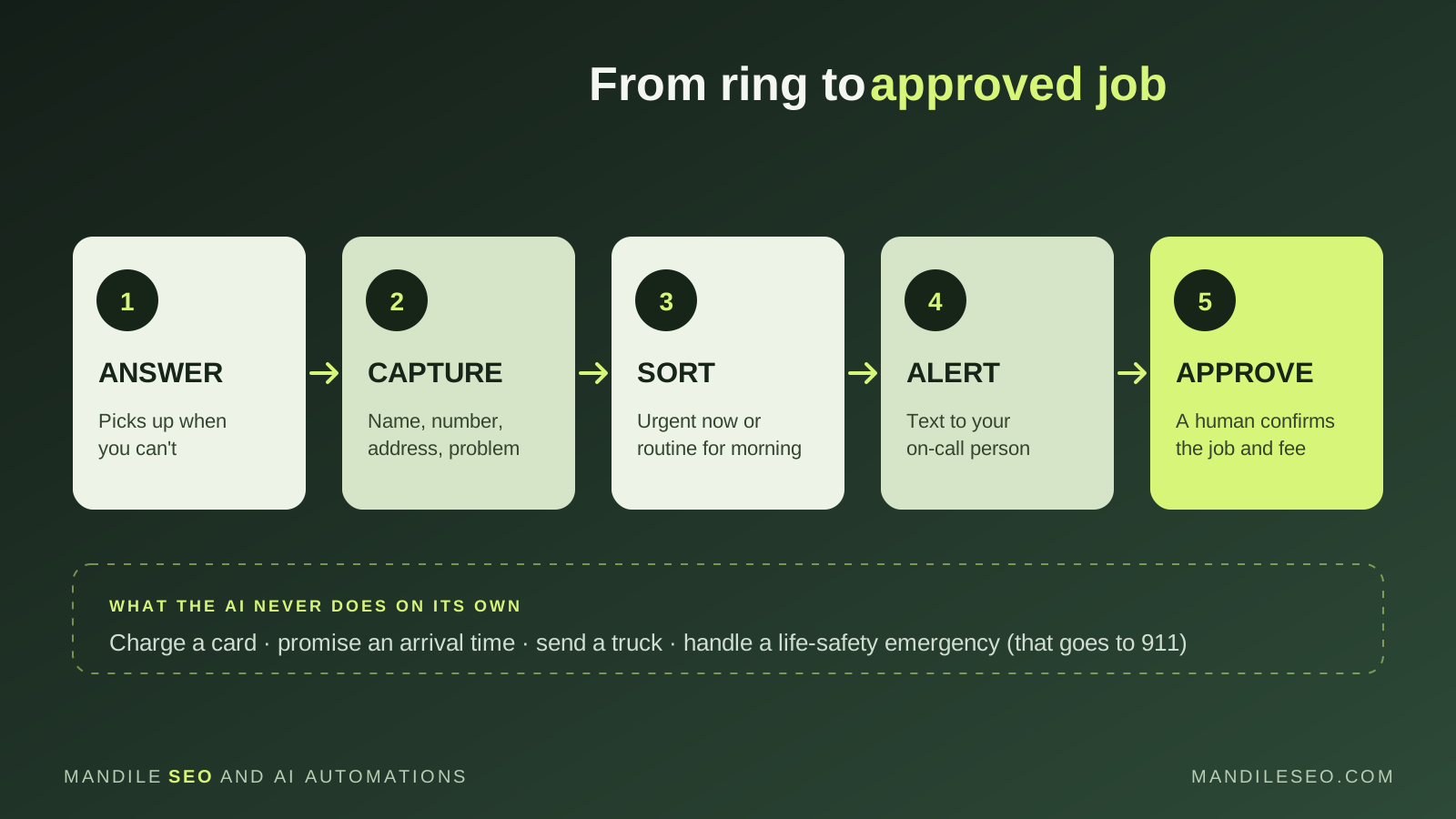
- The call is answered. The AI receptionist picks up when you can’t, says it’s an automated assistant, and offers a way to reach a person.
- Details are captured. Name, callback number, location and a short description of the problem, in the caller’s own words.
- Urgent and routine calls are sorted. A flooded kitchen goes to the on-call list. A billing question or a request for a maintenance visit is logged for the morning, so your technician isn’t woken up for it.
- Your on-call person is alerted. They get a text or CRM notification with organized notes, not a garbled voicemail.
- A person makes the call. Your team confirms availability, the after-hours fee and the job, then reaches out to the customer. The AI never charges a card, promises an arrival time or sends a truck on its own.
If a caller describes a gas leak, a fire or someone in danger, the receptionist tells them to hang up and call 911. Life-safety emergencies are never handled by AI.
Walk through a test call
Here’s what a simulated 2 a.m. call sounds like, and what’s happening behind the scenes at each step. The homeowner is near 59th Avenue and Thunderbird Road in Glendale, with a burst pipe flooding the garage. The business name, fee and phone number are placeholders.
| Who | What is said | What the system is doing |
|---|---|---|
| AI receptionist | “Thanks for calling [Your Business]. I’m an automated assistant. Is this an emergency, or would you like to schedule a regular appointment?” | Answers right away and says it’s automated. |
| Caller | “It’s an emergency. A pipe burst in my garage and water is everywhere.” | Flags the call as urgent. |
| AI receptionist | “I’ll get this to our on-call team. What’s the address or the nearest cross streets?” | Asks for the location before saying anything about availability or price. |
| Caller | “I’m near 59th Avenue and Thunderbird in Glendale.” | Checks the location against the service area you set. |
| AI receptionist | “That’s in our service area. Our after-hours service call fee is [your fee], and the technician will confirm everything with you. Can I pass your details to our on-call technician?” | States the fee you approved. It doesn’t promise a technician is available. |
| Caller | “Yes, please hurry.” | Records that the caller agreed to be contacted. |
| AI receptionist | “What’s your name and the best number to reach you?” | Collects only the details the technician needs. |
| Caller | “Mark, 623-555-0199.” | Fictional example number. |
| AI receptionist | “Thanks, Mark. I’ve sent this to our on-call technician. You’ll get a text as soon as they confirm. If water reaches anything electrical, stay clear of it.” | Ends the call. Nothing is booked and no truck is sent yet. |
What happens next: your on-call technician gets a text like “Urgent, Glendale: Mark, 623-555-0199, near 59th Ave and Thunderbird. Burst pipe in garage. Caller agreed to the after-hours fee.” They check their schedule and confirm with one tap. Only then does Mark get a text saying help is on the way. If nobody confirms, the system follows the backup plan you chose, such as calling a second technician or letting Mark know you’ll call first thing in the morning.
Want to hear it for yourself? Try the AI receptionist demo.
Is this right for your business?
It’s usually a good fit if:
- You get calls at night, on weekends or while your crew is on jobs
- Some of those calls are urgent and worth a callback within minutes
- You already have someone on call, or would set up a rotation if calls came in organized
- You’re paying an answering service and aren’t happy with the details you get back
It’s probably not worth it yet if you rarely get after-hours calls, or if nobody on your team can respond to an urgent call at night anyway. In that case, an honest voicemail greeting and a fast morning callback may be all you need.
What it costs and how to start
Every setup is quoted in writing before work begins. You pay a setup fee up front, then we run a 30-day pilot on your real calls. At day 30 we review calls answered, details captured and calls handed to your team, and you decide whether to keep it running on an optional monthly plan. There is no automatic subscription. Phone service and usage costs are listed separately, so you can compare the total against your current answering service bill.
For the technical side of on-call escalation, payment boundaries and holiday fallbacks, read our after-hours AI dispatch guide for plumbing and HVAC. For the basics, start with AI phone agents for small businesses.
Let’s look at how your calls are handled today.
We’ll review your current setup, whether that’s voicemail, forwarding or an answering service, and scope a 30-day pilot with your team approving every job. Serving Glendale, Peoria, Surprise, Phoenix and the West Valley.
Frequently asked questions
What is the best alternative to an after-hours answering service?
For many service businesses, an AI receptionist set up around the company’s own rules. It answers every call it receives, collects the caller’s details, sorts urgent problems from routine ones and alerts the on-call person, who decides whether to take the job.
Will an AI receptionist dispatch a truck or charge a customer on its own?
Not in the setup described here. The AI gathers and organizes information. A person on your team confirms availability, the job and any after-hours fee before anything is promised to the caller.
What happens if a caller has a real emergency, like a gas leak or someone in danger?
The receptionist should tell the caller to hang up and call 911 or the utility’s emergency line. Life-safety emergencies are never handled by an AI receptionist.
Can I keep my current business phone number?
Usually yes. Calls are forwarded to the AI receptionist after hours, when your line is busy or when nobody picks up. Your phone provider’s options are confirmed during setup.
How much does an AI receptionist cost compared with an answering service?
Each setup is quoted in writing. There is an up-front setup fee, a 30-day pilot, and an optional monthly plan after that. Phone and usage costs are listed separately, so you can compare the total against what your answering service charges today.
Do you work with businesses outside Glendale?
Yes. Mandile SEO works with service businesses across Glendale, Peoria, Surprise, Phoenix and the rest of the West Valley, and in Oregon’s Salem and Portland areas. Setup and testing are done remotely.