What are direct-action AI prompts?
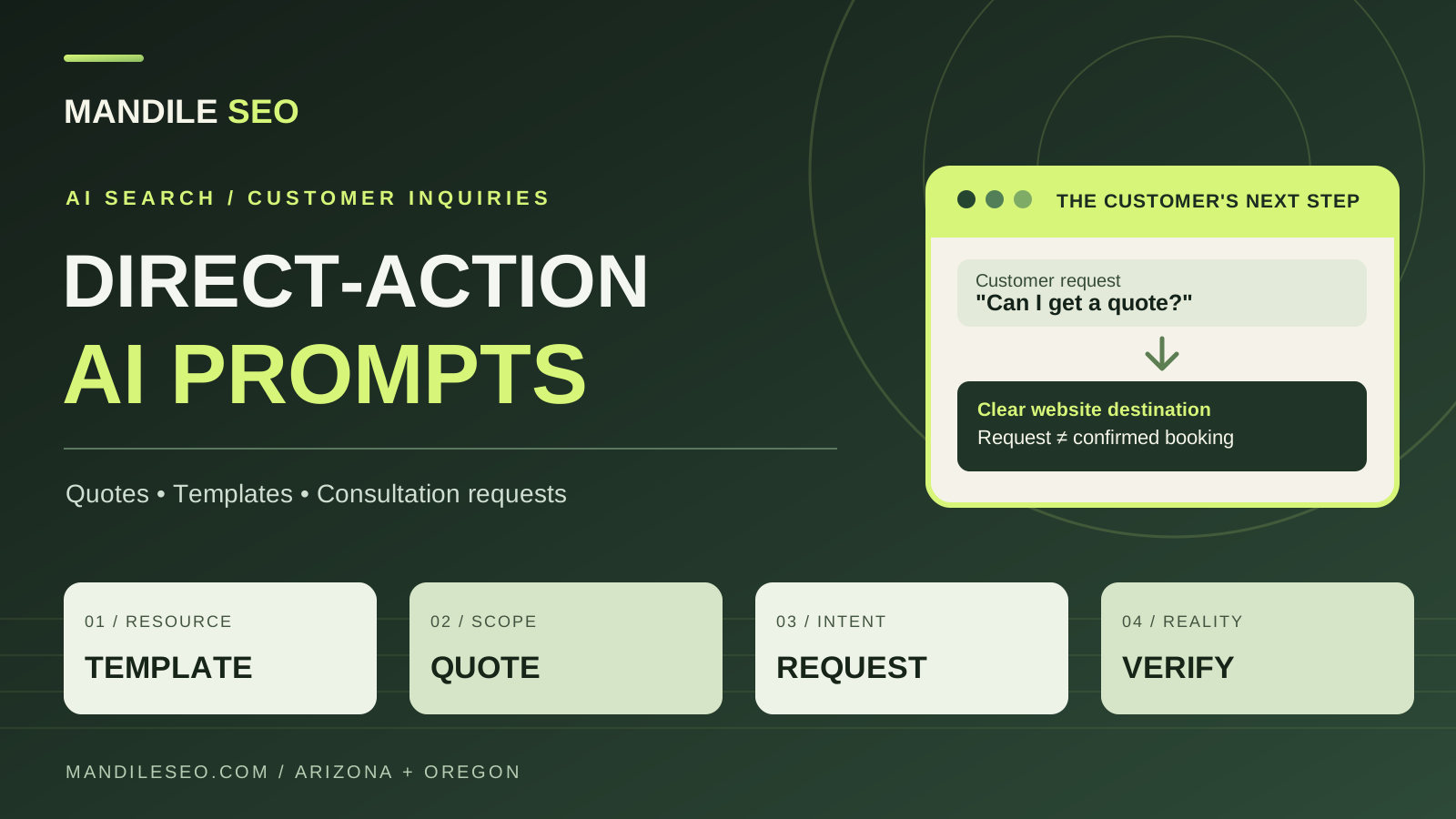
Direct-action prompts ask an AI assistant to help finish a task—finding a template, requesting a quote or arranging a consultation. Each request needs a relevant, readable page and a reliable next step. A search mention is not an inquiry, and a consultation request is not a confirmed booking.
The Short List Effect: from being named to being contacted
An AI answer may give a customer only a few businesses to consider. I call this the “Short List Effect.” But getting onto a shortlist is only one part of the business question: does being named lead to being chosen—and then contacted?
A recommendation can stall when a visitor cannot find the right service, understand the price, or reach a working inquiry form. The practical opportunity is to connect useful information with a clear action. For a Glendale contractor, that might be a service-area quote request. For a Salem home-service business, it might be a callback request with its actual coverage and response process explained. For a consultant, it might be an appointment request with the subject and meeting format explained.
This work complements local SEO and the Short List Effect. Google’s guidance for generative AI search says foundational SEO remains relevant. An accessible contact path does not replace relevant content, a credible business presence, or discoverability.
Match the customer’s prompt to a real destination
Match the kind of request a customer might make with a real page, resource or form on your site. The table shows what that destination should explain in ordinary text.
| Example prompt | Useful destination | Make clear on the page |
|---|---|---|
| “Find an AI project brief template.” | A readable template or a clearly labeled download | Who it is for, its format, and whether access requires signup |
| “Get a quote for a small-business website.” | A service-specific quote request | Scope questions, what pricing includes, and how the request is reviewed |
| “Book a consultation about local SEO.” | A working scheduler or an honest appointment-request form | Meeting format, time zone, any fee, and whether a time is confirmed |
These are example customer requests, not measured search-volume claims. Use the wording your customers actually use, and make each link deliver what its label promises.
1. Make templates useful before asking for contact details
A “find a template” prompt expresses a need for something usable. A page that only says “contact us for more information” may leave that task unfinished. Explain the template’s purpose, show its sections, and provide a clearly labeled copy or download path if one exists.
For example, our AI agent implementation brief template helps a business describe a workflow, the systems involved, and the boundaries of an agent project. A relevant next step is discussing that brief—not implying that reading it automatically starts an implementation.
If you gate a resource, state that before the visitor clicks. If the resource is a PDF, show its subject and file type. Keep the surrounding explanation available as ordinary page text so someone can judge whether the resource fits.
2. Explain pricing and quote requests in readable text
“Get a quote” does not always mean “show an instant price.” Custom work can require discovery. Explain what you need to assess, what happens after submission, and whether the form requests an estimate or accepts an order.
- Fixed price: state the amount, currency, included scope, and exclusions.
- Starting price: explain the minimum scope and what can increase the total.
- Custom quote: describe the factors that affect scope and the information needed to prepare a proposal.
- Separate costs: identify provider subscriptions, usage charges, or integrations that are billed separately.
Do not hide the entire explanation in an image, tooltip, or widget. A short pricing summary beside a descriptive link helps a visitor understand the offer even when an embedded component does not load. Only publish prices and response times the business can actually honor.
3. Separate consultation requests from confirmed bookings
A calendar widget can make scheduling convenient, but seeing a calendar does not give every AI assistant permission or technical ability to book it. Some experiences can follow a link; others may support actions through specific integrations. The customer may still need to finish the process.
Keep the meeting purpose, duration, time zone, location or video format, fees, and cancellation terms visible outside the widget when they apply. Add a direct link to the scheduling page and an alternative contact method. If staff must approve the time, label the action “Request a consultation,” rather than “Confirm your booking.”
At Mandile SEO, contacting us about a consultation starts an inquiry. It should not be presented as a confirmed calendar reservation. A confirmed booking requires a working scheduling integration and an actual confirmation.
Make the next step readable without promising bot access
Use ordinary links with descriptive labels such as “Request a website quote” or “View the project brief template.” Google’s link guidance recommends anchor elements with a real href and meaningful link text. Do not make a script-only click target the sole route to an important page.
This is not a rule that JavaScript is invisible. Google can render JavaScript, while other readers and assistants have different capabilities. Keep essential offer details and a fallback link available in the page, then test the actual experience you want customers to use.
Structured data can help describe a business and its content when it matches what visitors can actually see. It cannot create a booking integration, give an assistant permission to act, or guarantee a recommendation. Accurate contact details, service descriptions and working links matter more than invented capabilities in markup.
A practical action-path checklist
- Read the page as text. Can you identify the service, pricing basis, and next step without interpreting an illustration?
- Follow the link. Does its label match the destination, and does that destination work on a phone?
- Check the fallback. If the embedded form or calendar fails, is a real contact link still available?
- Test submission safely. Use a marked test inquiry and verify receipt before saying a form works. For scheduling, test the configured confirmation flow without occupying a customer’s slot.
- Verify expectations. Does the page distinguish a submitted request, a staff response, and a confirmed appointment?
- Ask an assistant to find the next step. Record what it finds and misses. One successful test is not proof that every platform will behave the same way.
Measure inquiries separately from AI mentions
Track the stages separately: a business mention, a cited link, a visit, a contact click, a successfully received inquiry, and a confirmed appointment. A button click is not a lead, and an appointment request is not a completed booking.
Use referral information where available, ask customers how they found you, and record the landing page and inquiry outcome without putting personal information into analytics events. Some AI journeys will not carry a usable referrer, so attribution will remain incomplete. Our guide to clean conversion tracking explains how to keep meaningful actions distinct from inflated event totals.
Compare changes over enough time to account for low volume and other marketing activity. The goal is to learn whether customers can complete the next step—not to turn a handful of AI answers into a claim of guaranteed demand.
Can a customer actually request a quote or consultation?
Tell Mandile SEO where customers get stuck—finding the right service, understanding the price, requesting a quote, or completing a consultation request. We can review your website’s inquiry path and discuss a scoped improvement or an approved follow-up workflow. A conversation about scheduling is not a confirmed booking.